
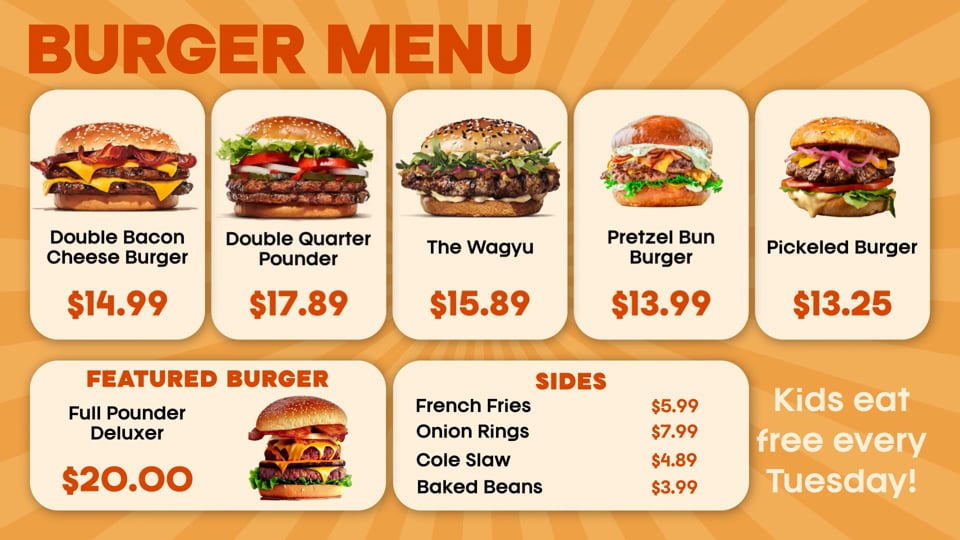
Burger menu board
A menu board with prices pulled live from the POS.
Animated menus, LTOs and promos for QSR and fast casual. If it is in the POS, it is on the screen.
Every price on these screens came from the data. Change it in the POS and the video follows.
A menu board with prices pulled live from the POS.
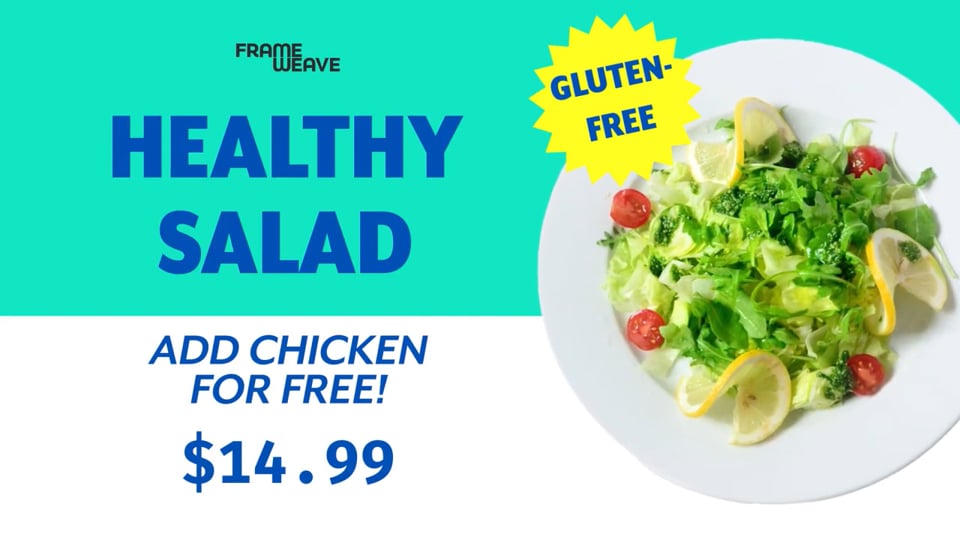
A promo with price and add-on offer, rendered for every screen aspect ratio.
One connection to your POS. Every menu board, LTO and promo, kept current without a designer in the loop.
Yes. Breakfast to lunch, lunch to dinner, or a seasonal LTO back to the regular menu, on schedule and without anyone touching a file.
Aloha, Appetize, PAR Brink, Clover, Clover Sport, Deliverect, DigitalPour, Microsoft Dynamics, MyVenue, Oracle, Revel, SilverWare, Square and VenueNext. Don't see one? We'll add it.
No. Frame Weave makes the video and publishes it to the signage CMS you already have. Your CMS keeps scheduling and playing it.