How many videos does one promotion really need?
How to count the versions, what rebuilds cost and how to stop rebuilding.
One promotion needs a separate video for every price zone, aspect ratio and retail banner. A retailer with 3 price zones, 2 aspect ratios and 2 banners needs 12 versions of a single promo, and every price change means updating all 12.
Most teams never count. They just feel it: the late-night rebuild, the portrait version someone forgot, the store still showing last week's price. Here's how to count it, what it costs and how to stop rebuilding.
How do you count the videos one promotion needs?
Multiply the things that change what's on screen:
Versions = price zones × aspect ratios × retail banners
| What changes | Example |
|---|---|
| Price zones | 3 |
| Aspect ratios (landscape and portrait) | 2 |
| Retail banners | 2 |
| Versions of one promotion | 12 |
Run 8 promotions a month and that's 96 files. Change one price in one zone and someone has to find and rebuild the 4 files that carry it.
Other multipliers hide in plain sight:
- Featured items. A separate video per item multiplies everything again.
- Dayparts. Breakfast and lunch menus double a restaurant's count.
- Store formats. A drive-thru board and an in-store board rarely share a layout.
Why do price zones multiply signage content?
Prices differ by region. Rent, labor, delivery costs and local competition all push them apart. Every zone needs its own numbers on screen, so every zone needs its own video.
A wrong price in the wrong zone isn't a design problem. It's an argument at the register.
For dispensaries, it's also compliance. A product sold in one state can't appear on screens in another. Good Day Farm runs 65 stores under five retail banners, with nearly 200 screens and up to 40 new deals a day. Each state's products have to show only on that state's screens. Built by hand, that's a file management job before it's a design job.
How do you handle landscape, portrait and video wall screens?
A layout built for a landscape menu board doesn't fit the portrait screen by the door. Scale it down and the text gets tiny. Crop it and the price disappears. So each aspect ratio usually gets its own rebuilt file.
Video walls and kiosks add more aspect ratios. FelFel, a single restaurant, runs menu screens, a four-screen video wall and a kiosk. All three come from one design, rendered in one run.
The point: aspect ratio is a layout decision you make once, not a rebuild you repeat every time a price changes.
What does each rebuild cost?
In our own production work, rebuilding one motion menu video by hand, then exporting, uploading and scheduling it, takes about an hour. Designer and animator time runs $50 to $125 an hour.
Now apply that to the example above:
| Change | Files to rebuild | Hours | Cost at $50 to $125 an hour |
|---|---|---|---|
| One price, one zone | 4 | 4 | $200 to $500 |
| One price, every zone | 12 | 12 | $600 to $1,500 |
| A month of 8 promotions | 96 | 96 | $4,800 to $12,000 |
The hidden costs are bigger than the invoice:
- Stale screens. The rebuild waits in a queue while the old price stays up.
- Missed versions. The portrait screen or the second banner gets forgotten.
- Compliance risk. The wrong product shows in the wrong state.
- Lost creative time. Your best designer spends the week changing numbers instead of making the next campaign.
How do you keep every version without rebuilding it?
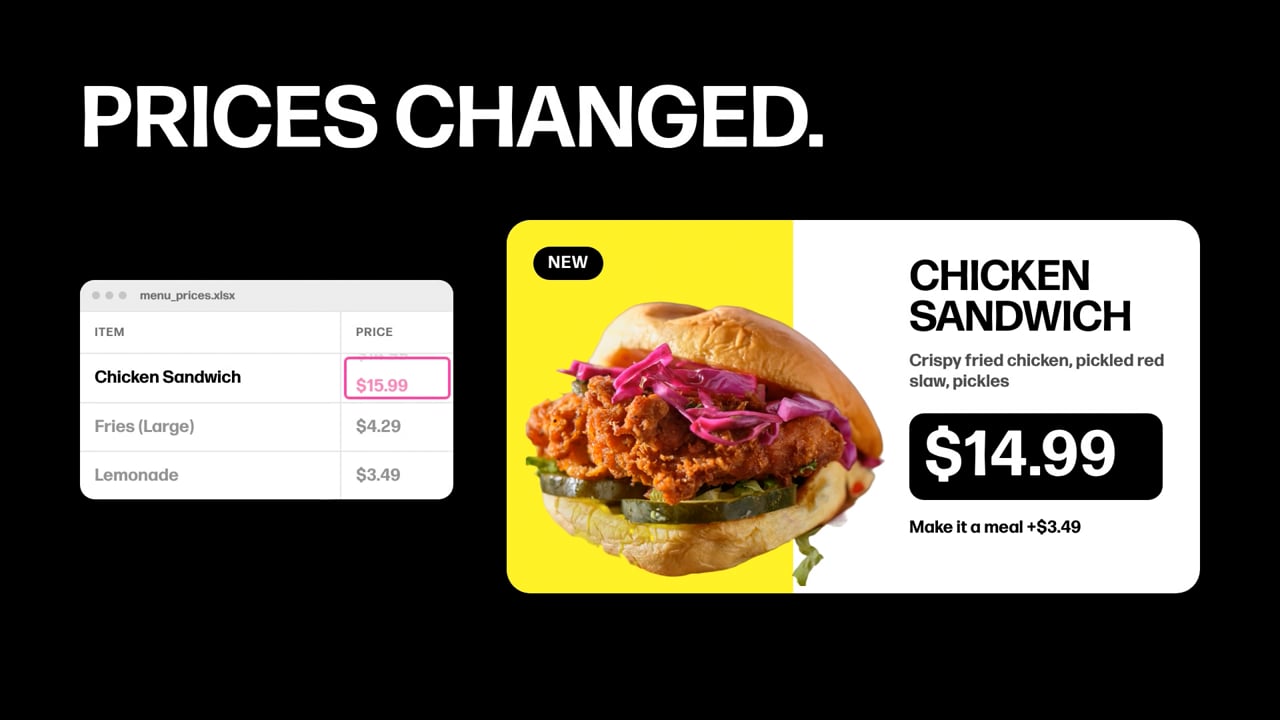
Stop treating each version as a file. Treat it as data.
- Design once. Have a designer? Send their design. No designer? We design it with you.
- Connect the data. Prices, items, zones and banners live in your POS, a spreadsheet or an inventory feed.
- Let the data make the versions. Every zone, banner and aspect ratio renders from the same design.
- Publish to the CMS you already have. Your CMS keeps scheduling and playback.
Change a price once and every version updates. In our tests, that's about 2.5 minutes from data change to live screen, compared with about an hour to rebuild one video by hand, then export, upload and schedule it.
The 12 versions still exist. Nobody has to make them.
Doesn't my CMS already do this?
Partly. Many signage CMS platforms can drop live prices into a layout. For a static menu board with text and photos, that may be all you need.
Where it stops:
- Motion. Data layouts in a CMS are usually static. Frame Weave makes finished motion video.
- Your design. CMS layouts are built from their tools. Frame Weave works from any design.
- Every version from one design. Price zones, retail banners and aspect ratios all render from the same design in one run.
Frame Weave doesn't replace your CMS. It keeps the CMS supplied with current video.
Frequently asked questions
Can one design cover portrait and landscape screens?
Yes. The design is set up once for any aspect ratio. After that, landscape, portrait and video wall versions all render from the same data.
Do I need a designer for every version?
No. You need one design. If you have a designer, send their work. If you don't, we design it with you.
What data can drive the versions?
Your POS, a spreadsheet or any data set. Square, Clover, Revel, Dutchie, Cova and Treez are on our integrations list. Don't see yours? We'll add it.
Does this work with the CMS I already have?
Yes. Frame Weave sends finished video to your CMS by API. It's a fully cached asset in your library. Your CMS keeps scheduling and playback.
What does it cost?
Plans start at $49 a month. Custom design starts at $500. No long-term contracts.